Progress monitoring without adding field workload
.svg)

Quick Summary
Progress monitoring in construction means capturing site conditions over time and comparing them against project plans. When the record stays current, superintendents and project managers have an objective reference for coordination, payment verification and dispute resolution. The challenge is keeping that record up to date without adding hours of documentation work to field teams already stretched thin.
Field teams already know what's happening on their sites. The challenge is keeping a record that everyone else can reference without adding hours of documentation to an already full day. Most teams need a system that captures progress without creating extra work.
This article covers what progress monitoring looks like in construction and the tools that reduce manual effort. It also explains how to build a capture workflow that keeps the record current without pulling superintendents away from the work.
What is progress monitoring in construction and how does it work
Progress monitoring is the ongoing collection of site data to assess work completion against planned milestones. In construction, this typically involves capturing visual records of installed quantities, trade status by area and completion dates. Teams managing multiple sites or fast-moving schedules often turn to progress monitoring software that automates the capture-to-report workflow.
Most search results for "progress monitoring" focus on education, where the term describes tracking student performance over time. In construction, the concept follows a similar structure but applies to physical work in place rather than academic growth. The data comes from site captures rather than classroom assessments.
- What gets tracked: Installed work such as framing, MEP rough-in, concrete pours and finishes
- How it's measured: Visual comparison of captured conditions against design documents or schedules
- Why it matters: Creates an objective record for coordination meetings, payment applications and dispute resolution
Why progress monitoring in construction matters for field teams
Field teams reference progress data constantly, even when they don't call it "progress monitoring." Superintendents confirm what was completed yesterday before assigning today's work. Project engineers verify installs before the next trade mobilizes. Commercial teams review visual records before approving payment applications.
When that data lives in separate photo folders, text threads or someone's memory, coordination meetings require more time to establish what actually happened. A consistent record gives coordination meetings a shared reference point for what happened.
Progress monitoring gives field teams a shared reference point. When everyone can pull up the same visual record, the team references the same data during coordination. The record becomes the basis for coordination rather than individual recollection.
Common methods for progress monitoring in construction
Most teams already track progress in some form. Each method requires different levels of manual effort and produces data with varying usefulness for coordination and verification.
- Manual photo logs: Individual photos by location (Daily or weekly)
- Spreadsheet tracking: Percent complete by area (Weekly updates)
- Drone mapping: Aerial views of entire site (Weekly or milestone-based)
- 360 camera walks: Interior conditions by floor (After key installations)
- AI-powered platforms: Automated trade detection and structured reports (Any phase with visual data)
Manual methods work at small scale. They become burdensome as projects grow in size or complexity. The time spent organizing photos and compiling reports often exceeds the time spent capturing them.
Watch how others in the industry are tracking progress across their jobsites:
How to do progress monitoring in construction without extra workload
Three practices make it possible to keep the record current without asking field teams to do more documentation. Each approach builds on workflows that already exist on most sites. The goal is consistent capture with minimal added effort.
Capture sites with repeatable workflows
Consistency matters more than frequency. When you capture from the same vantage points each time, the resulting images become directly comparable. A drone flying the same flight path every week produces a visual timeline that shows exactly what changed and when.
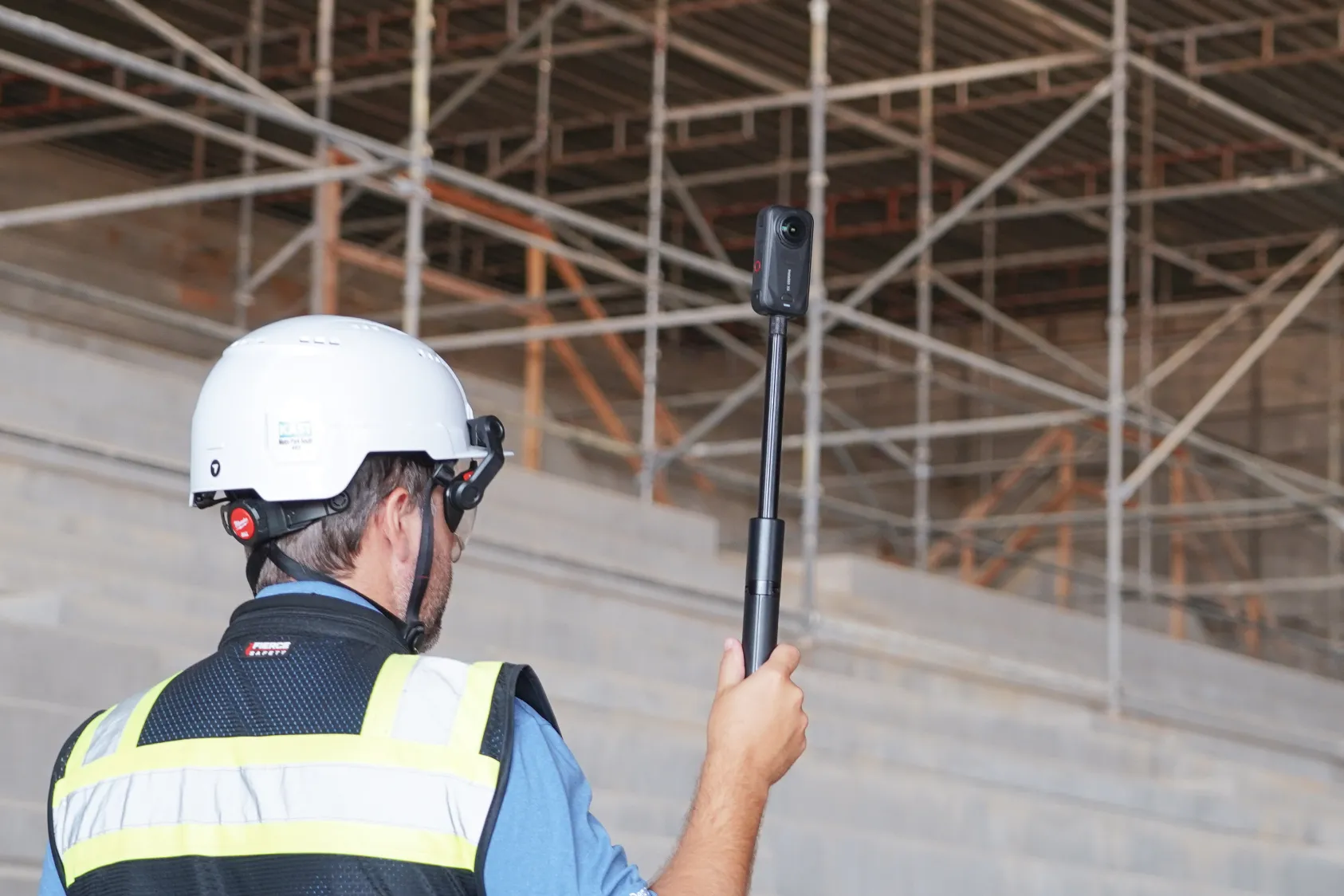
360 cameras work the same way for interiors. A project engineer walking the same route through each floor creates a record that anyone can reference later. The capture itself takes minutes, and the data organizes automatically by location and date.
Use AI to detect and report progress automatically
AI-powered progress monitoring tools analyze captured imagery and generate structured reports without manual tagging. The system identifies installed trades, compares conditions across captures and outputs percent complete by area.
DroneDeploy's Progress AI processes drone flights and 360 walks to produce trade-level progress reports. Superintendents and project managers receive the data without compiling it themselves. The system handles the analysis so field teams can focus on the work.
Compare actuals to design in one system
Some teams overlay captured conditions against CAD drawings or BIM models. This comparison happens in software rather than requiring field teams to mark up plans by hand.
When the captured site shows framing complete in a given area, the system can flag whether that matches the expected sequence. Discrepancies surface automatically and appear in the system for review.
Progress monitoring tools for construction sites
Different capture methods suit different phases of work. Most teams use a combination depending on what they're documenting.
Drones and aerial mapping
Drones capture orthomosaic maps and 3D models of exterior progress. They're well suited for earthworks, structural steel, roofing and sitework where aerial views show the full scope of installed work. Learn more about drone mapping in construction and how flight paths can be saved and repeated, so each capture aligns with previous ones for direct comparison.
360 cameras and ground-level capture
360 cameras document interior conditions floor by floor. The imagery maps to floor plans by location and date, creating a walkable record that stakeholders can review remotely. This approach is especially useful for MEP rough-in, framing and finishes where work happens behind walls or above ceilings.
Autonomous robots and docked drones
Robotic capture automates scheduled documentation. Docked drones execute flights without field personnel handling equipment each time.
Ground robots walk predefined routes and upload imagery automatically. Both handle the capture-to-upload process without field personnel managing equipment each time.
Progress monitoring software and AI platforms
Progress monitoring software organizes visual data, compares captures over time and generates reports. Some platforms require manual tagging of each image, while others use AI to detect installed trades and calculate completion percentages automatically. Manual tagging requires hours of effort after each capture, while AI-based detection generates reports from the imagery directly.
How often to capture progress data
Capture frequency depends on how fast conditions change. During fast-moving phases like concrete pours or MEP rough-in, daily or near-daily captures keep the record current. Slower phases or long-duration activities may only require weekly or milestone-based documentation.
Critical path work benefits from captures before and after key installations. This creates a clear record of sequence and completion that's useful for coordination and payment verification.
Tip: Tie capture schedules to existing site rhythms rather than creating new routines. If the superintendent already walks the site every morning, adding a 360 camera to that walk captures progress without adding a separate task.

What effective progress monitoring data looks like
The value of progress monitoring depends on how the data is structured and presented. Raw imagery alone does not support coordination or verification. Structured reports with clear breakdowns by trade and location make the data actionable.
Percent complete by trade and location
Structured progress reports break down completion by trade and site area. This format supports coordination meetings, schedule updates and payment applications. When the data generates automatically from captured imagery, field teams receive it without compiling spreadsheets.
Visual comparison to design intent
Side-by-side views of captured conditions against design documents help verify that installed work matches plans. This comparison is especially useful before work gets covered, such as verifying sleeve locations before a concrete pour. Catching discrepancies early prevents costly rework later in the project.
Time-stamped records for verification
Every capture includes a date and location. This creates a defensible record for disputes, claims or payment applications. When questions arise about when work was completed, the visual record provides an answer.
How to measure progress across multiple jobsites
Teams managing several projects face a different challenge. They need portfolio-level visibility without visiting each site. A unified system makes this possible without requesting separate reports from each project team.
A unified progress monitoring system aggregates data from all sites into a single view. Executives and operations leaders can see completion status across the portfolio without requesting separate reports from each project team.
DroneDeploy provides one login for all aerial and ground data across projects via its construction drone mapping and inspection software. Progress reports from each site roll up into a portfolio view showing status by project, phase and trade.
Start tracking progress with less effort
- Identify one active project where manual progress tracking creates friction
- Choose a capture method that fits the current phase, such as drones for exteriors or 360 cameras for interiors
- Establish a repeatable capture schedule tied to project milestones
- Select a progress monitoring platform that automates reporting from visual data
Book a demo to see how DroneDeploy captures and reports progress across your sites.
.png)
FAQ
Progress monitoring is the ongoing capture and assessment of site conditions. Progress reporting is the communication of that data to stakeholders through documents, dashboards or meetings. The monitoring process creates the record that reporting then shares with stakeholders.
AI-powered progress monitoring tools detect installed trades and generate reports directly from visual data without requiring a BIM model or schedule. A BIM model or schedule can add context, but the system produces useful output without them. Teams can start capturing and reporting progress immediately with just visual data.
Any project with phased work benefits from progress monitoring. Commercial buildings, data centers, solar installations, infrastructure and tenant fit-outs all use visual records to track completion and verify work in place. The approach scales from single-building projects to multi-site portfolios.
Most platforms allow users to share reports, 360 walkthroughs and visual comparisons through links or exports. Owners can review the data without logging into the full system or visiting the site. This remote access keeps stakeholders informed without requiring additional coordination from field teams.
Related articles
Ready to learn more?
Contact sales to see how DroneDeploy can give your teams the power to document and analyze your sites from the air and ground – all in one AI-powered platform.