How to choose the right field inspection app for your jobsite
.svg)

Quick Summary
A field inspection app replaces paper forms and scattered photo folders with a mobile system. It captures observations, tags them with location and date and organizes everything into a searchable record. The best options work offline, support multiple capture types and connect to the tools your team already uses.
This guide covers the core features that matter and what separates enterprise-grade software from basic consumer tools.
Paper forms and scattered photo folders still run most field inspections, which means the record lives in someone's truck or buried in an email thread. When a dispute surfaces six months later, finding the right photo becomes a project in itself.
A field inspection app captures observations on site, tags them with location and date automatically and organizes everything into a searchable record. This guide covers the features that matter most when evaluating field inspection software for construction teams.
What is a field inspection
A field inspection is the on-site process of documenting conditions, verifying installed work and recording observations before the next phase begins. Traditionally this meant clipboards, handwritten notes and photos dumped into folders that nobody could find six months later. A field inspection app digitizes this workflow.
Walk the site with a phone or tablet, capture what you see and let the app handle organization automatically.
- Field inspection: Physically visiting a location to verify conditions, document progress or assess compliance
- Field inspection app: Mobile software that captures photos, forms and location data during site visits and organizes them into a searchable record
The shift from paper to digital changes what becomes possible. Instead of relying on memory or hunting through email threads, you have a timestamped visual record tied to specific locations. That record becomes the reference point for disputes, progress claims and handover documentation.
When questions arise months later, the timestamped data provides answers. This shift from memory-based to evidence-based documentation changes how teams resolve conflicts.

Core features in field inspection software
The best field inspection tools share common capabilities that separate them from basic photo apps. These features determine whether your documentation holds up under scrutiny or falls apart when you need it most. When evaluating options, the following features matter most for construction teams managing multiple sites.
Customizable inspection templates and digital checklists
Templates let you standardize what gets captured across every site and every inspector. You define the fields, the required photos and the sequence.
Whether it's a safety walk, a quality check or a progress verification, the checklist ensures nothing gets missed. This consistency matters when different people perform inspections on different days because the record stays comparable over time.
Automatic location and date tagging
Every photo and form entry gets embedded with GPS coordinates and a timestamp automatically. You don't have to remember where you were standing or when you took the shot.
When someone questions whether work was complete on a certain date, you have coordinates and timestamps that hold up. The metadata becomes your proof.
Photo video and 360 capture
Different situations call for different capture methods. Standard photos work for punch items and defects. Video captures equipment operation or active work sequences.
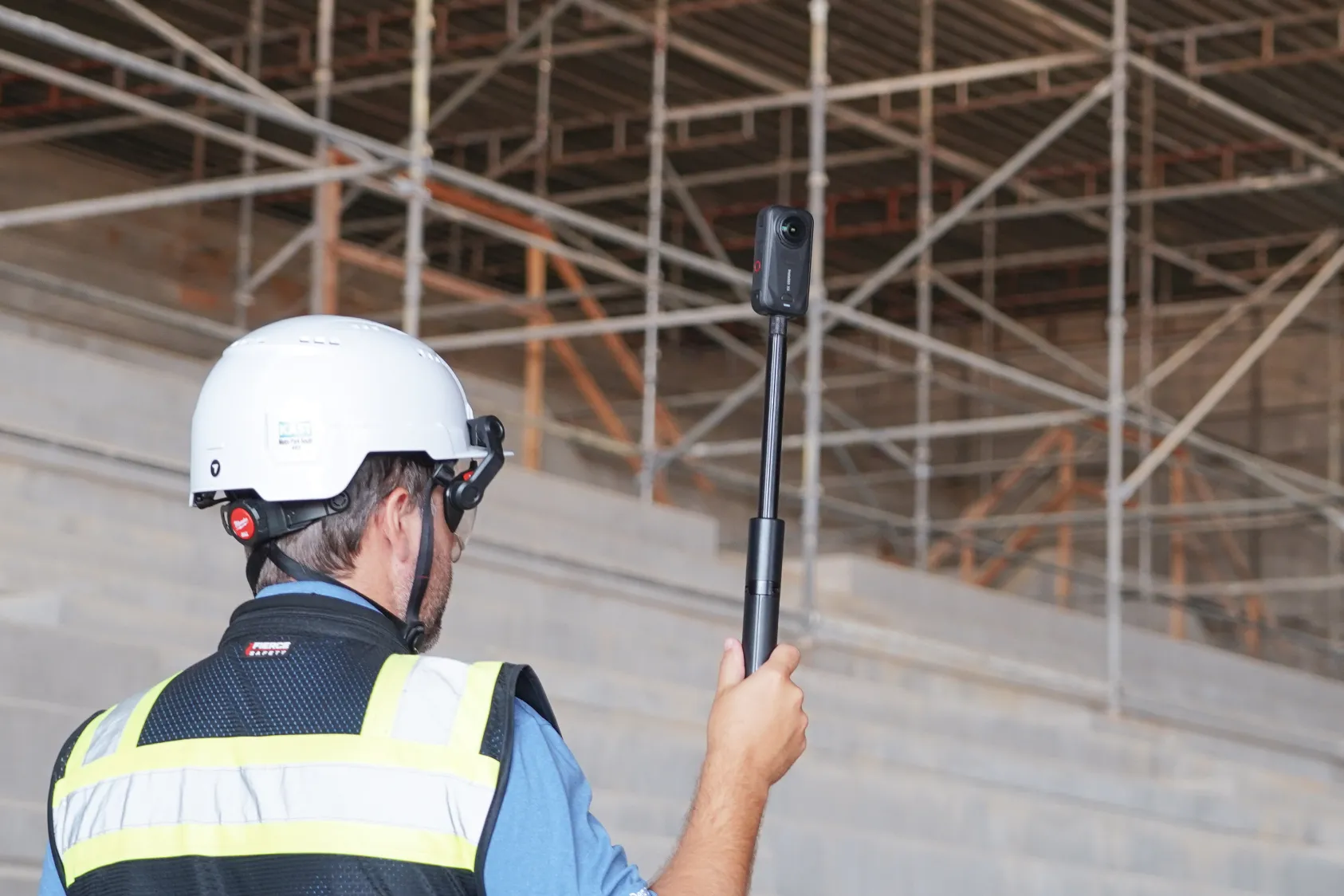
360 cameras create walkable interior records that can be revisited without returning to site. The more capture types your app supports, the more flexibility you have to document conditions the way they actually exist.
Each method serves a specific purpose in building a complete record. Choosing an app that supports all three gives your team options based on what they're documenting.
See how other builders are using field inspection software to build better:
Approval workflows and digital signatures
Many inspections require sign-off before work proceeds. E-signatures and multi-step approvals route inspections through review chains directly in the app.
The superintendent signs, the PM reviews and the owner gets notified. This eliminates the back-and-forth of printing, signing, scanning and emailing PDFs.
Real-time syncing across teams
Inspection data flows from the field to office stakeholders as soon as connectivity allows. Project managers and owners see updates without waiting for end-of-day uploads or weekly reports. This real-time visibility keeps everyone aligned on current conditions.
- Templates
- What to look for: Fully customizable forms
- What to avoid: Fixed, non-editable checklists
- Media capture
- What to look for: Photo, video and 360 support
- What to avoid: Photo-only with size limits
- Location tagging
- What to look for: Automatic GPS on every asset
- What to avoid: Manual entry required
- Syncing
- What to look for: Background sync when connected
- What to avoid: Manual upload only
Offline functionality for remote jobsites
Many construction sites have poor or no cellular coverage. Basements, rural locations and steel-framed structures all create dead zones. If your app requires a connection to capture data, it becomes useless in exactly the situations where you need it most. Offline mode is non-negotiable for field inspection software.
- Full capture capability: Photos, forms and signatures work without signal
- Local data storage: Inspections save to the device until sync is possible
- Automatic background sync: Data uploads without manual intervention once connected
Test this before committing to any platform. Walk into a basement or a remote corner of your site and try to complete an inspection.
If the app freezes or loses data, keep looking. Real-world testing reveals what demo environments hide.

Location mapping in construction inspection software
Geo-mapping capabilities pin inspection data to specific coordinates or floor plan locations. Instead of scrolling through hundreds of photos sorted by date, you see all documented observations on a map or drawing overlay.
Click on a room in the floor plan and see every photo taken there across every inspection. Click on a location in the site map and see the history of that spot over time.
For teams managing large sites or multiple buildings, this spatial organization becomes essential when answering questions like "what did this area look like before drywall."
Field inspection tools for photo and 360 documentation
Different capture methods serve different purposes. Understanding when to use each one helps you build a more complete record. The right tool depends on what you're documenting and how that information will be used later.
Standard photo capture for quick observations
Smartphone photos with markup and annotation tools handle most day-to-day documentation. Punch items, defects, progress verification and safety observations all work well with standard photos. The key is having annotation tools built into the app so you can circle issues and add notes before moving on.
360 walkthroughs for interior inspections
360 cameras mounted on hardhat rigs or handheld create immersive records of interior spaces. A single walk through a floor captures everything visible from the path you took.
Months later, you can revisit conditions without returning to site. This becomes particularly valuable for documenting what's behind walls before drywall goes up.
Learn how to use 360 walks:
Video for dynamic site conditions
Some conditions don't translate well to still images. Equipment operation, water flow, active work sequences and anything involving movement benefits from video capture.
Most field inspection apps support video, though file size limits vary. Check the maximum file size and compression settings before relying on video for critical documentation.
How aerial capture extends field inspection coverage
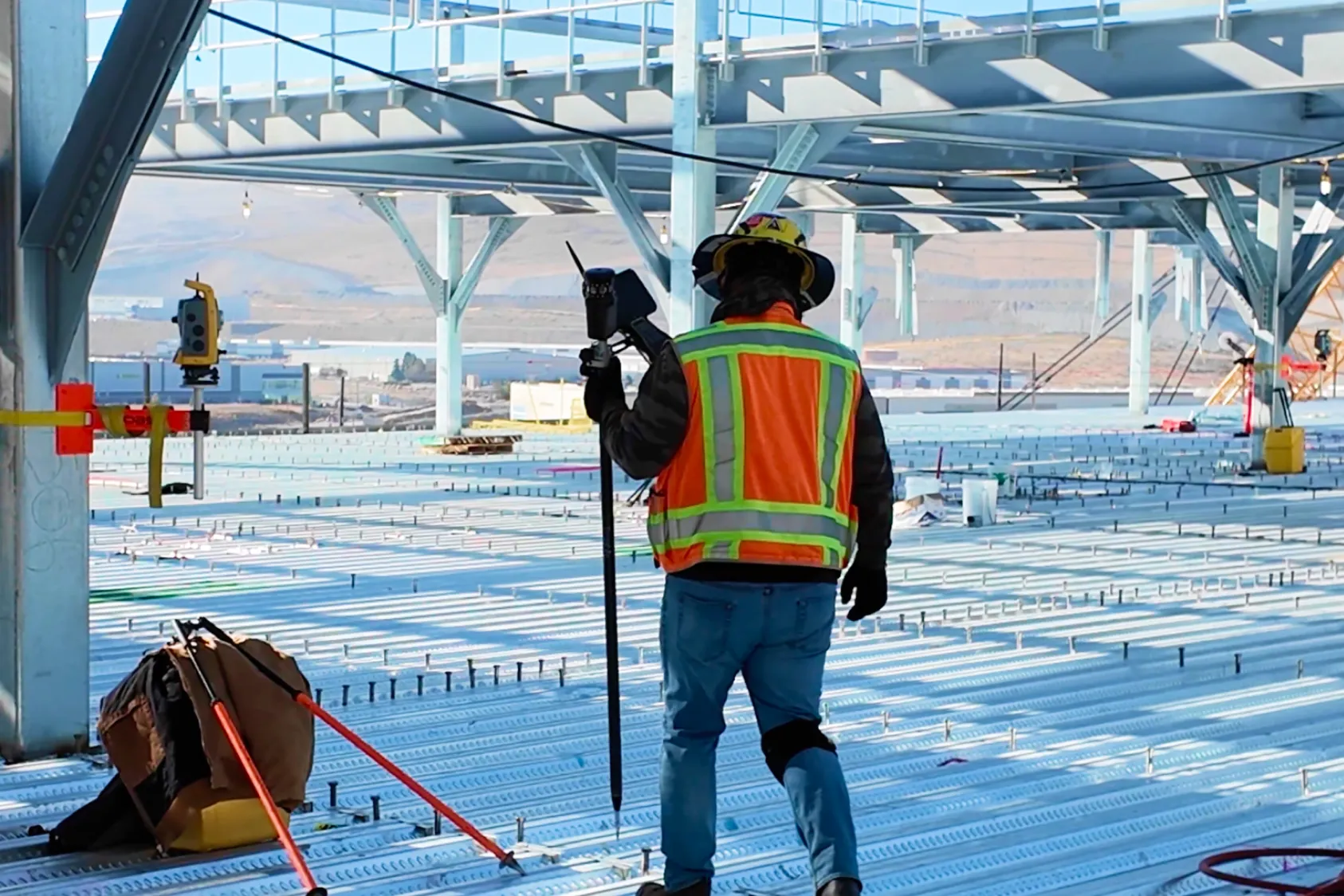
Drones add a vertical perspective that ground-level inspection cannot reach efficiently. Roofs, facades, large exterior areas and elevated structures all become accessible without scaffolding, lifts or putting people in precarious positions. A 15-minute flight captures what would take hours to document on foot.
- Roofs and elevated structures: Drone flights capture conditions without scaffolding or lifts
- Large site areas: Aerial maps show progress across acreage faster than walking
- Hard-to-access facades: Drones document exterior conditions safely
Platforms like DroneDeploy combine aerial and ground capture into one system, so the drone map and the 360 walk live in the same record. This unified approach eliminates the need to switch between platforms when reviewing site conditions. Everything captured from any angle lives in one searchable location.
Integration with project management and BIM platforms
Field inspection software that lives in isolation creates extra work. Inspection findings end up getting manually re-entered into project management systems.
Photos get downloaded and uploaded again. The record fragments across multiple platforms.
Project management platform connections
Look for integrations with the systems your team already uses. Procore, Autodesk and similar platforms often have direct connections that push inspection findings into the project record automatically. This eliminates duplicate data entry and keeps your documentation in one place.

BIM and design file overlays
Comparing as-built conditions to design intent requires overlaying inspection photos against design models. The best construction inspection software lets you toggle between the captured reality and the design file to spot discrepancies. This comparison catches issues before they become expensive rework.
Cloud storage and file sharing services
Teams that need inspection records accessible outside the inspection platform benefit from integrations with Google Drive, Dropbox and Egnyte. These connections make sharing documentation with owners, architects and subcontractors straightforward. Files sync automatically without manual downloads and uploads.
Reporting and dashboards in field inspection apps
Inspection data becomes useful when it can be summarized and shared. Raw photos and form entries need structure to communicate findings clearly. Field inspection apps generate reports automatically from captured data rather than requiring manual assembly.
- Inspection summary reports: Auto-generated PDFs with photos, locations and findings
- Issue tracking reports: Lists of open items filtered by status, trade or priority
- Portfolio dashboards: Cross-project views showing inspection completion and trends
For teams managing multiple sites, portfolio dashboards provide visibility across all active projects from a single view. These dashboards surface which projects need attention and which are on track. Executives can monitor inspection completion rates without digging into individual project files.
See safety inspection AI in action:
AI-powered field inspection and automated insights
AI analyzes inspection imagery to surface observations automatically. Instead of reviewing every photo manually, the system flags safety hazards, tracks progress by trade and identifies quality issues.
A single site might generate hundreds of photos per week. Across a portfolio of projects, that volume becomes impossible to review manually. AI handles the initial pass and surfaces what needs human attention.
Field inspection management for multi-site operations
Enterprise teams managing inspections across many locations face different challenges than single-site operations. Scale introduces complexity in standardization, visibility and performance. The software needs to handle these demands without creating bottlenecks.
Templates and inspection protocols get deployed consistently across regions and crews. A safety inspection in Texas follows the same structure as one in Ohio. Executives and owners view inspection status across all active projects from a single dashboard.
How to choose the right field inspection application
Selecting field inspection software comes down to matching capabilities to your actual workflow. No single platform fits every team, so the evaluation process matters. Start by understanding your requirements before comparing features.
- Define what gets inspected and how often across your projects
- Identify integration requirements with your existing tech stack
- Evaluate offline capabilities against your typical site conditions
- Test capture methods including photo, 360 and aerial if applicable
- Confirm reporting outputs match stakeholder requirements
- Verify enterprise security and compliance certifications
DroneDeploy combines aerial and ground inspection capture into one field inspection management solution. Teams use it to document conditions from every angle and access records from anywhere. Book a demo to see how it works on your projects.
.png)
FAQ
Ready to learn more?
Contact sales to see how DroneDeploy can give your teams the power to document and analyze your sites from the air and ground – all in one AI-powered platform.