How monitoring systems reduce disputes on construction sites
.svg)
Quick Summary
A construction monitoring system uses drones, 360 cameras and fixed cameras to capture timestamped visual records of jobsite conditions over time. Teams reference the captured imagery during disagreements about scope, progress or existing conditions. This article covers system types, key features and how to build a documentation workflow that holds up when disputes arise.
Disputes on construction projects often come down to conflicting accounts of what existed and when. Without a consistent visual record, conversations stall and claims become difficult to verify.
A construction monitoring system captures site conditions over time using drones, 360 cameras and fixed cameras. It creates timestamped documentation that teams reference during disagreements about progress, scope or existing conditions.
Why documentation prevents construction disputes
Most construction disputes come down to one question: what was actually there and when? When two parties remember site conditions differently, the conversation stalls. A construction monitoring system creates a visual record that both sides can pull up instead of relying on memory.
The scenarios where documentation matters most tend to follow a pattern. These situations arise repeatedly across project types and contract structures. Understanding them helps teams prioritize their capture efforts:
- Change order disagreements: Conflicting claims about what existed before work started
- Progress payment disputes: Differing opinions on percent complete at billing milestones
- Defect liability questions: Uncertainty about when damage occurred or who caused it
In each case, a timestamped visual record removes ambiguity. When an owner questions whether rough-in was complete before a milestone date, the project team pulls up the capture from that week. The conversation shifts from "I remember it differently" to "here's what the site looked like on that date."
What is a construction monitoring system
A construction monitoring system combines capture hardware and software to document jobsite conditions at regular intervals. The core function is creating a timestamped, geolocated visual record that teams can reference later during coordination, billing or dispute resolution.
The system typically produces several types of outputs. An orthomosaic is a map-like image stitched from many overlapping photos, corrected for scale and position.
A point cloud is a 3D representation made of millions of measured points in space. Reality capture refers to the broader process of recording physical conditions using cameras, sensors or scanners.
The key difference from traditional photo documentation is consistency. Rather than scattered photos in email threads or shared drives, a monitoring system organizes captures by date and location automatically. You can navigate to any area of the site and see what it looked like on any capture date.
Types of construction monitoring systems
Different capture methods suit different project phases and site conditions. Most teams use a combination depending on what they're documenting. The choice depends on project scale, interior versus exterior work and required capture frequency.
Aerial drone monitoring
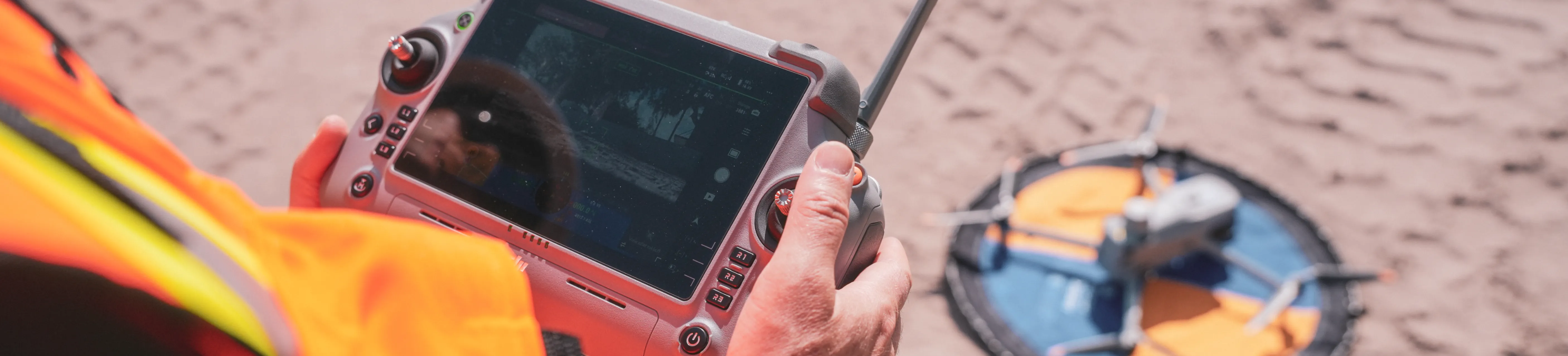
Drones fly planned flight paths to capture overhead imagery for maps, 3D models and earthwork measurements. Aerial capture works well for large outdoor areas, earthworks, roofing and site-wide progress tracking. A single flight can cover an entire site in minutes, producing consistent coverage from the same vantage points each time.
Learn how to document via drones:
360 ground capture
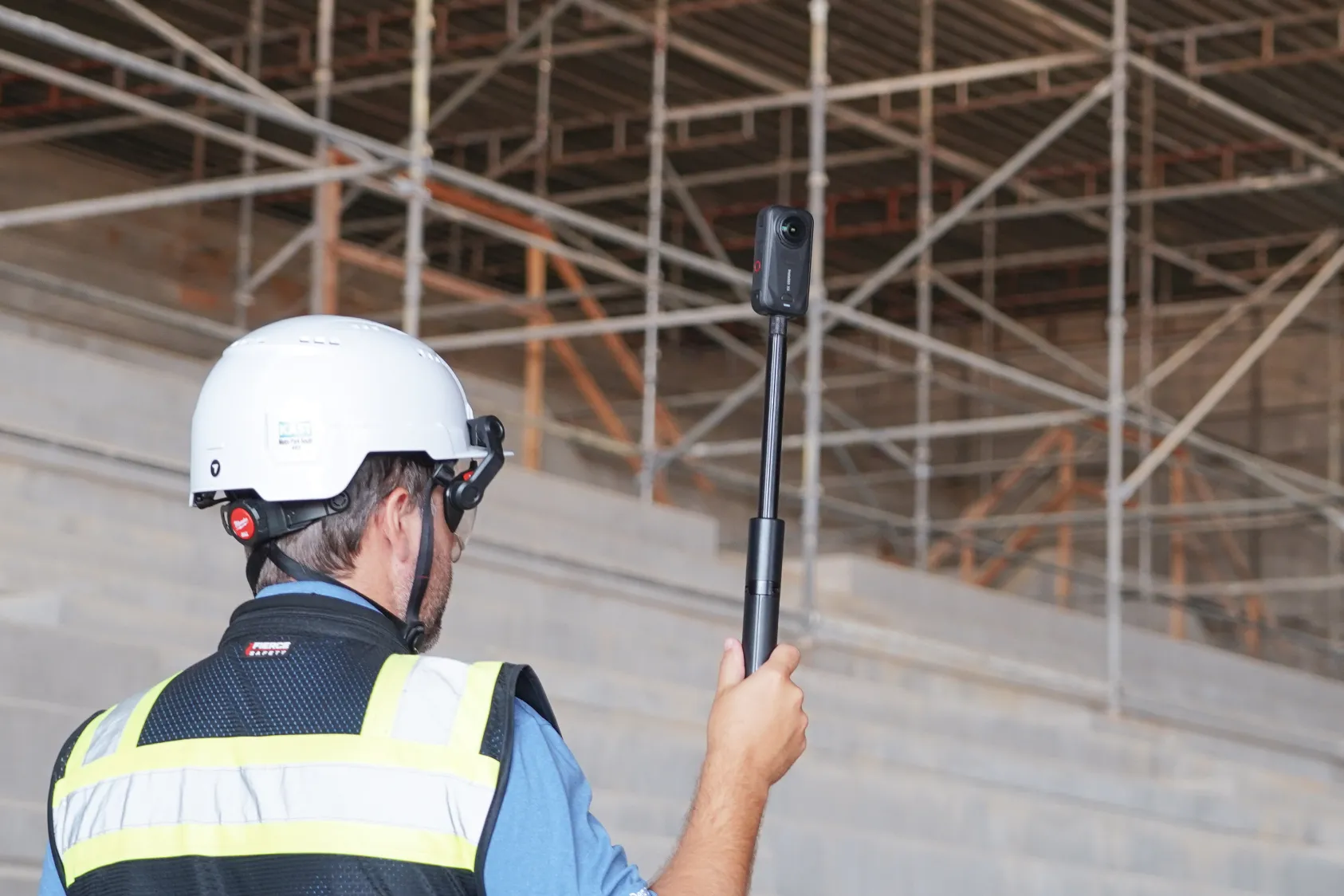
360 cameras mounted on hardhat rigs or tripods capture interior and ground-level conditions. Teams use 360 capture for interior rough-in, MEP coordination and closeout walks. Learn more about how 360 site capture keeps construction documentation organized and accessible for all stakeholders.
Learn how to document via 360 cameras:
Fixed jobsite cameras
Permanently mounted cameras capture time-lapse footage or scheduled stills throughout the project. Fixed cameras provide continuous coverage of specific areas like entrances, laydown yards or crane zones. The footage is useful for tracking deliveries, monitoring high-activity areas and documenting weather conditions.
Robotic and automated capture
Autonomous drones on docks or ground robots run scheduled missions without manual operation. Robotic capture suits repeatable inspections and sites requiring frequent coverage. A docked drone can fly the same route daily, while a ground robot like Boston Dynamics Spot can walk interior spaces on a set schedule.
How monitoring creates defensible records
The value of a monitoring system during disputes depends on the quality and consistency of the record it creates. Three attributes matter most when evaluating whether your documentation will hold up under scrutiny. Each attribute strengthens the credibility of your visual record.
Timestamped and geolocated evidence
Each capture includes date, time and GPS coordinates embedded in the file metadata. The embedded data removes questions about when and where an image was taken. During a dispute, the metadata provides independent verification that the record is authentic and unaltered.
Side-by-side comparison to design intent
Overlaying captured conditions against CAD drawings, BIM models or design surfaces shows deviations clearly. DroneDeploy supports this comparison workflow, allowing teams to toggle between the design file and the actual site conditions. When a subcontractor claims work was installed per plan, the overlay shows whether the claim is accurate.
Consistent capture from the same vantage points
Repeatable flight paths or walk routes allow direct comparison across dates. Consistency strengthens the record during disputes because variables are controlled. If you're comparing conditions from March to conditions from June, capturing from the same positions eliminates questions about perspective or angle.
Key features in a building construction monitoring system
When evaluating systems, certain capabilities matter most for dispute prevention and documentation quality. Not every project requires every feature, but understanding the options helps teams match their investment to their risk exposure. The following capabilities appear most often in platform evaluations.
Survey-grade accuracy options
RTK/PPK workflows and ground control points deliver sub-inch accuracy for projects requiring precise measurements. Not all projects require this level of precision, but earthwork and grading disputes often do.
When quantities are in question, survey-grade data provides defensible numbers.
Integration with project management platforms
Connections to tools like Procore and Autodesk Construction Cloud keep visual records linked to project schedules and documentation. DroneDeploy offers integrations with common project management tools, so captured data flows into existing workflows rather than sitting in a separate system.
AI-powered progress and safety analysis
AI can detect installed work by trade, identify safety hazards and generate structured reports from captured imagery. Progress AI identifies work-in-place across 80+ trade types, while Safety AI flags conditions that don't meet OSHA standards. The AI capabilities turn raw captures into organized, searchable records.
Scalability across multiple sites
A single platform that handles portfolios of projects with consistent capture standards simplifies documentation across an organization. Teams apply the same capture protocols whether they're documenting a tenant fit-out or a data center.
- Timestamped metadata: Proves when conditions existed
- Geolocation: Confirms exact location of captured evidence
- Design overlay: Shows deviation from intent
- Audit trail: Documents who accessed or modified records
- Cloud storage: Preserves records beyond project closeout
How to build a monitoring workflow for dispute prevention
A monitoring system only prevents disputes if the capture workflow is consistent and comprehensive. The technology matters less than the discipline of using it. The following four steps establish a reliable documentation process that teams can maintain throughout a project lifecycle.
1. Define capture frequency and trigger points
Decide how often to capture based on project pace and risk. Weekly captures work for general progress tracking, while daily captures make sense during critical phases like concrete pours or MEP rough-in. Identify trigger points like pre-pour, pre-cover and substantial completion where documentation is especially valuable.
2. Standardize capture locations across sites
Create repeatable flight plans or walk routes so each capture covers the same areas. Standardized routes allow valid comparison over time and ensure nothing gets missed. When a dispute arises about a specific area, you'll have consistent coverage from every capture date.
3. Organize records by phase and trade
Tag or structure folders so records can be retrieved quickly during a dispute. Organizing by CSI division, building area or project phase makes it easy to find the relevant captures without searching through thousands of files.
4. Share documentation with stakeholders in real time
Give owners, architects and trade partners access to the same visual record. When all parties reference identical documentation, disagreements about what was captured or when become less common. Shared access also creates accountability, since everyone knows the record exists.
Choosing the right monitoring approach for your projects
The right system depends on your typical project types and team capacity. There is no single correct answer for every organization. Organizations should evaluate their current documentation gaps before selecting a platform and consider the following factors:
- Project size and type: Large horizontal projects benefit from aerial capture, while multi-story interiors require ground capture. Most projects use both.
- Capture frequency: Daily documentation may require automation. Weekly captures can work with manual flights or walks.
- Accuracy requirements: Earthwork disputes require survey-grade data. General progress tracking may not.
- Team capacity: Organizations without drone programs can use capture services rather than building internal capabilities.
DroneDeploy combines aerial, ground and robotic capture in one platform, so teams can match the capture method to the project phase without switching systems. This unified approach simplifies training and reduces the number of tools teams need to manage. The platform scales from single-site operations to enterprise portfolios.
Next steps to protect your projects with site monitoring
- Audit your current documentation gaps and identify which project phases lack visual records
- Evaluate capture methods based on your typical project types and team resources
- Establish a capture schedule tied to payment milestones and critical work sequences
- Select a platform that unifies aerial and ground data with design file comparison
Teams across the industry are building documentation workflows that hold up during disputes. The process starts with understanding your current gaps and matching capture methods to your project types. Book a demo to see how teams use DroneDeploy to create defensible site records.
.png)
FAQ
Related articles
Ready to learn more?
Contact sales to see how DroneDeploy can give your teams the power to document and analyze your sites from the air and ground – all in one AI-powered platform.