What's new in DroneDeploy: April 2026 quarterly release
.svg)
Quick Summary
The platform got faster, more accurate and easier to use everywhere this quarter.
- New Interior Explore Page is up to 100x faster for the largest projects, with panos loading in about a second and walks ready to review in 15 minutes.
- BIM scales to multi-model projects with automatic versioning from Forma (Autodesk Construction Cloud).
- Faster and more reliable Ground mobile app with photo previews in one second and pre-capture checks.
- Aerial Pro accepts processed maps from Pix4D, Propeller, and other providers, unlocking DroneDeploy measurements and cut/fill on any processed dataset.
- RTK is more reliable in the field, with NAD83 (2011) support and predictable in-flight connection behavior across project datums.
- One flight plan for an entire megaproject, up to 2,000 acres.
For a list of all features launched as part of the April release, check out the release notes.
DroneDeploy’s April 2026 release makes the platform noticeably faster and more reliable. Here's what changed!
Faster, easier-to-use interior capture, from the field to the screen
One user who reviewed the new interface said it was the best UI of any 360 ground capture platform they'd evaluated. He noted he had evaluated all of them.
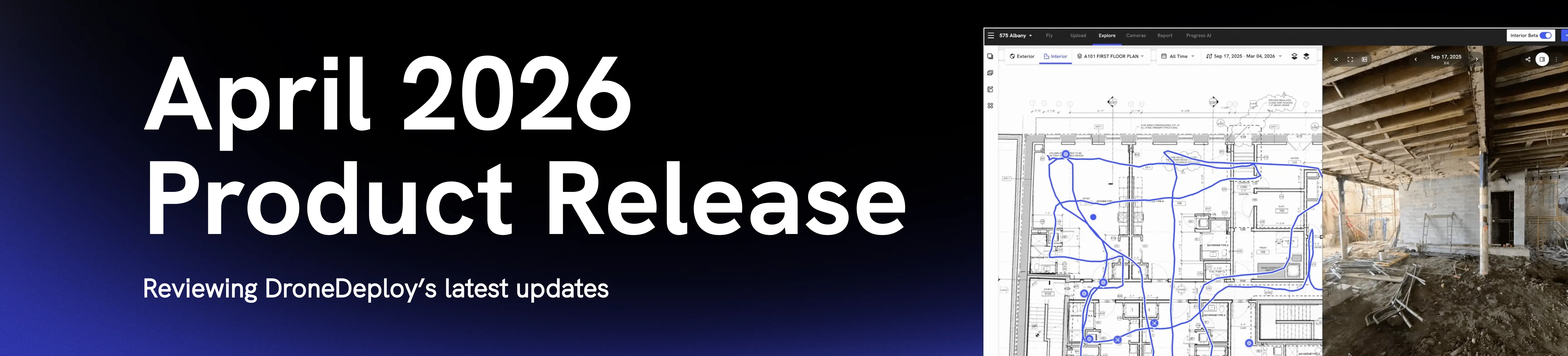
Interior Explore page rebuilt from the ground up
Panos load in about a second, up to 20x faster for high-resolution captures from devices like the Insta360 X5. Most projects will see a 10x improvement. For the largest projects, the ones with 50,000 panos on a single level, load times are up to 100x faster. There's no lag, even at that scale.
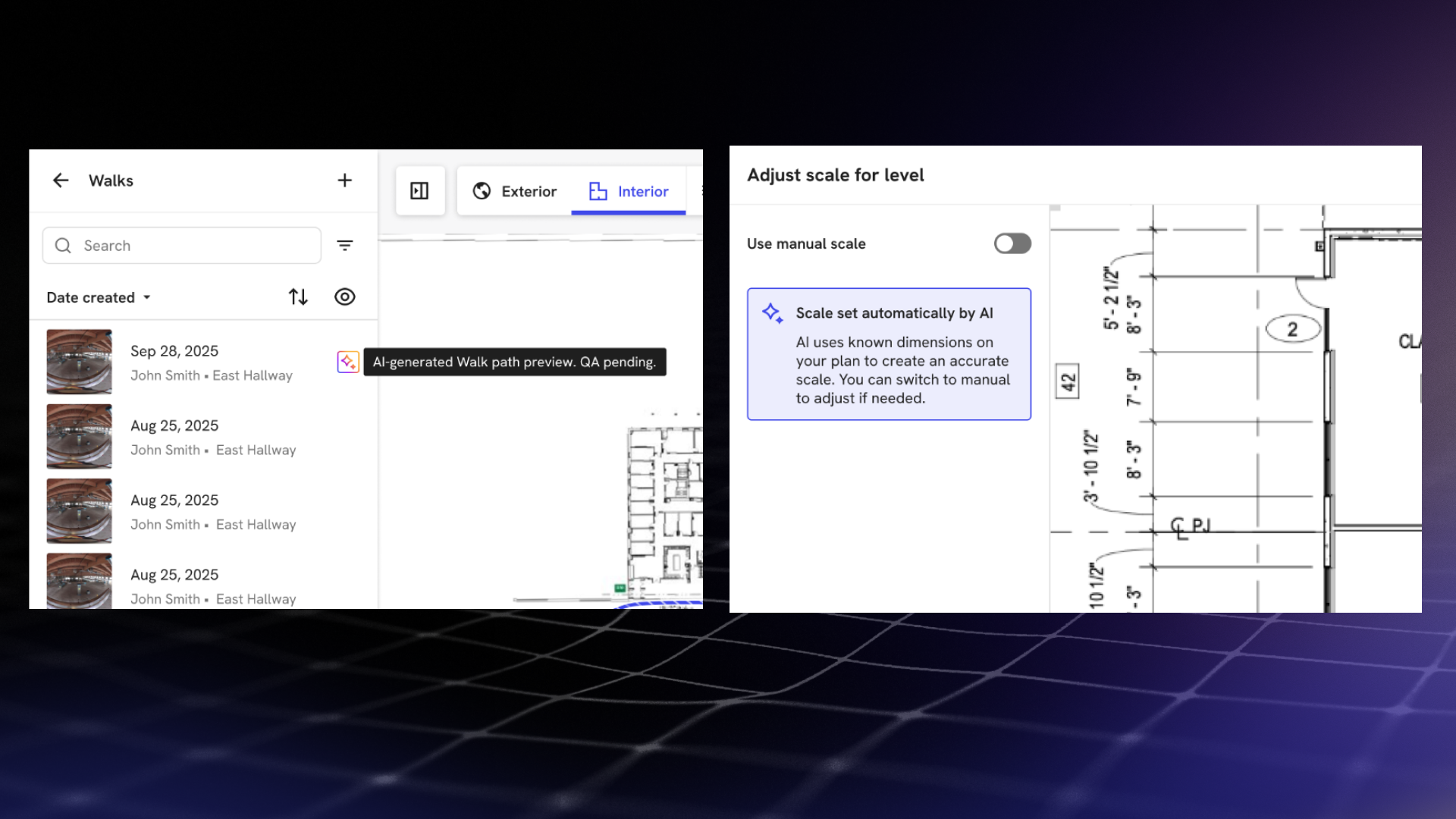
AI walk processing
Walk processing is also 5x faster end-to-end. Teams now get a path preview of a walk in 15 minutes, at 95% accuracy, using AI Walk Paths. AI Level Scale automatically scales any level that has walks, and that scale improves with each additional walk.
Streamlined mobile app
The mobile app is faster too. Fewer loading states, more efficient caching, and photo previews that drop from seven seconds to one second.
Field crews can now request edit permissions directly from the app when they're blocked on site, without going back through an office contact. And before a walk starts, the app runs pre-capture checks for memory card state, battery charge, camera firmware and device specs, catching common problems before they interrupt a session.
Multi-model BIM support
Projects can now have multiple BIM models connected, a requirement for customers with large sites containing separate buildings and models. All models are visible in a table under project settings, with clear actions and processing status alerts.
Automatic versioning from Forma (ACC)
Import models from Forma (Autodesk Construction Cloud) for automatic versioning. New versions are pulled in automatically, or teams can trigger a manual check. While a new version processes, the previous version stays active.
Dynamic new media viewer
The new media viewer has a streamlined action set, supports easy renaming, and docks, it remembers where you left it. View media in context of your drawing or expand to fullscreen for uninterrupted media viewing.
Simplified sharing and workflows
Sharing is simpler. You can now share entire media groups, not just individual captures. The interface makes it clear whether you're sharing internally or externally, and whether a link gives someone your current view or the full file. Level reports are now single-page PDFs, with media groups linked directly into a gallery rather than buried in a multi-page document.
Bulk level creation takes a multi-page PDF or a set of individual files and splits them into separate aligned levels automatically, no third-party PDF tools required. Uploads are also more guided for teams who need more detailed instructions, and experienced users can skip ahead.
New capabilities for high-accuracy workflows in Aerial Pro
Q1 was Aerial Pro's first full quarter since the Horizons launch. The team used it to address usability and cut/fill improvements, and to extend what DroneDeploy can do with third-party data.
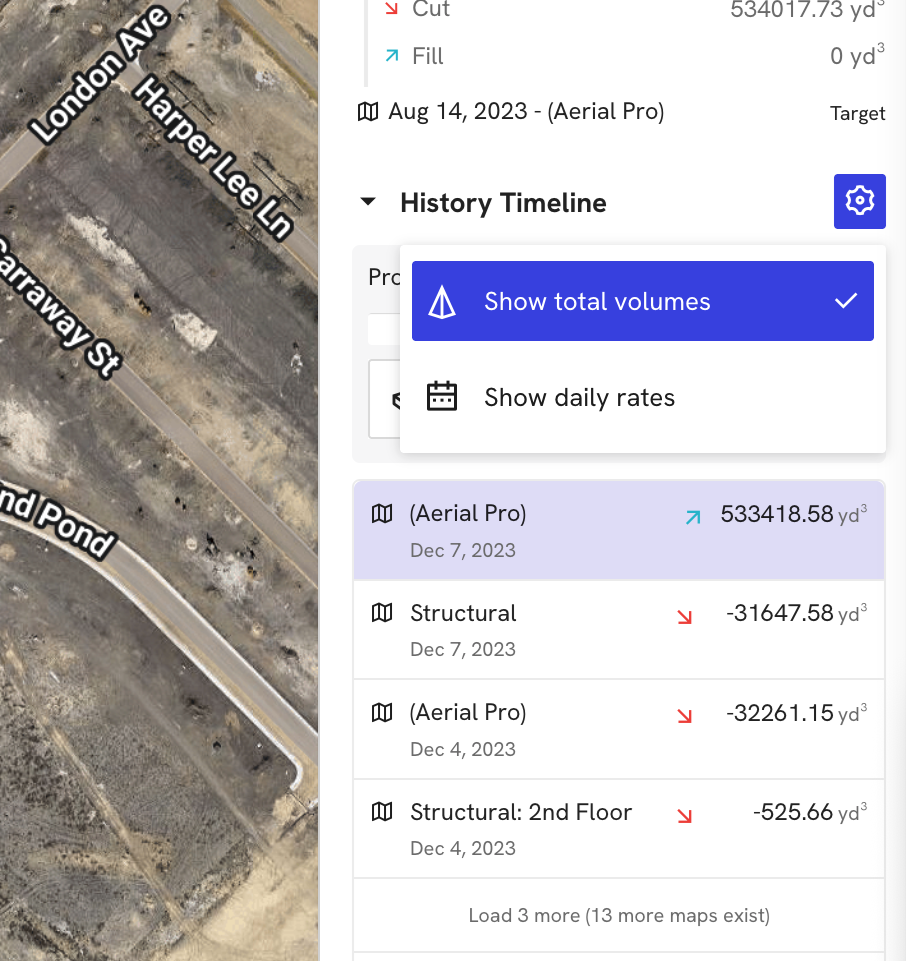
From heat map to hard numbers
For cut/fill, the history timeline now shows either estimated daily rate or total volume change between maps, giving teams a view of earthwork progress that's clear enough to defend in an OAC.
One record, any source
Processed map uploads now support 3D models (.tif) from external tools. That means measurements, volumetrics, and cut/fill analysis are available on any map brought into DroneDeploy, not just maps captured and processed through the platform.
.png)
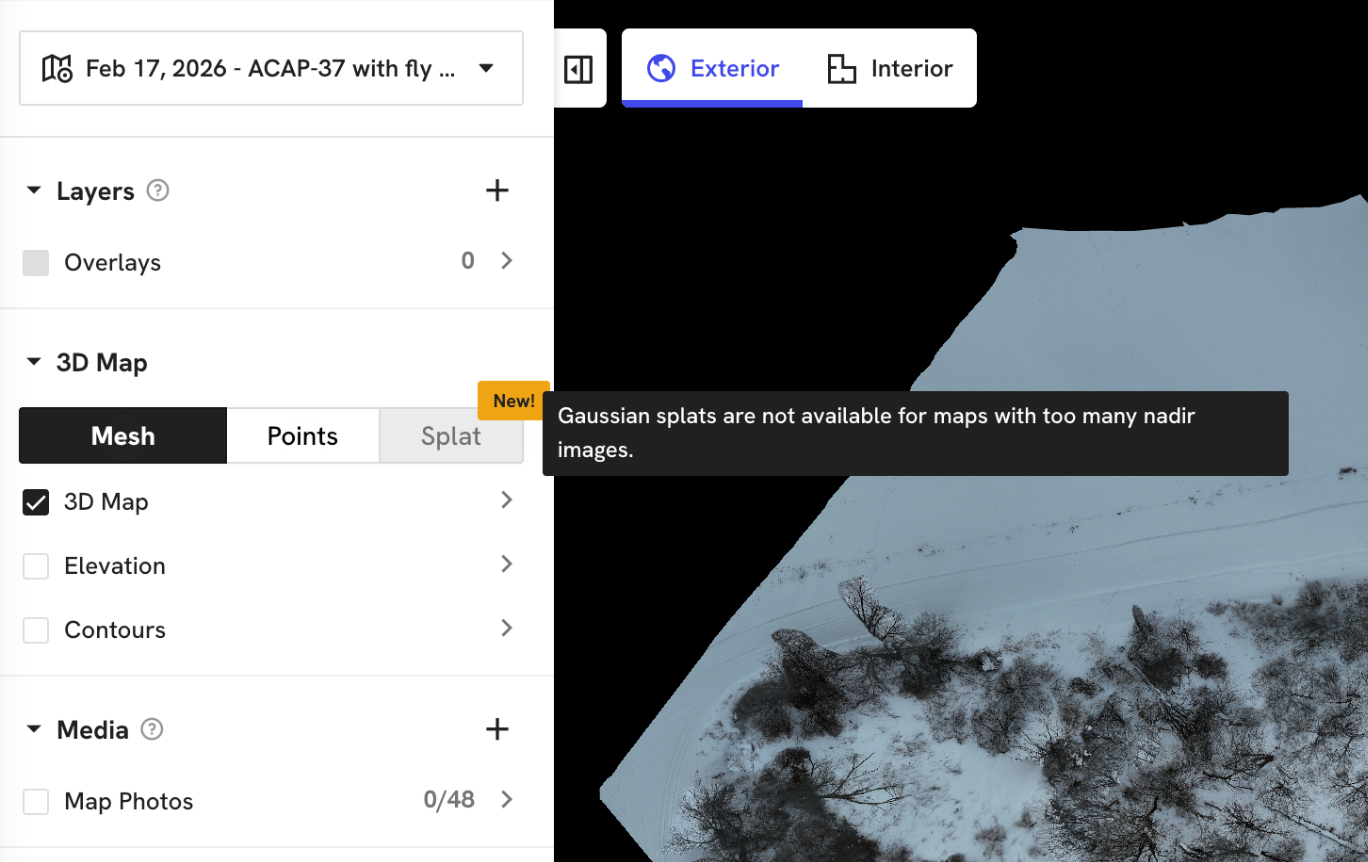
Does it Splat?
Splat Pre-check is a new validation step. Before a dataset runs through Gaussian Splat rendering, the system checks whether the model is likely to succeed. If it won't, the action is blocked with an explanation. If it will, teams can proceed with confidence. This replaces the guesswork around what makes a good splat and why some datasets fail.
Reliability improvements for every Aerial customer
Pick up where you left off

For Dock customers running long multi-battery missions, breakpoint resume means interrupted flights pick up where they left off, saving battery and reducing the risk of missed coverage. The control page now handles page reloads and reopens without losing the flight state.
Upgraded RTK for more reliable and accurate flights
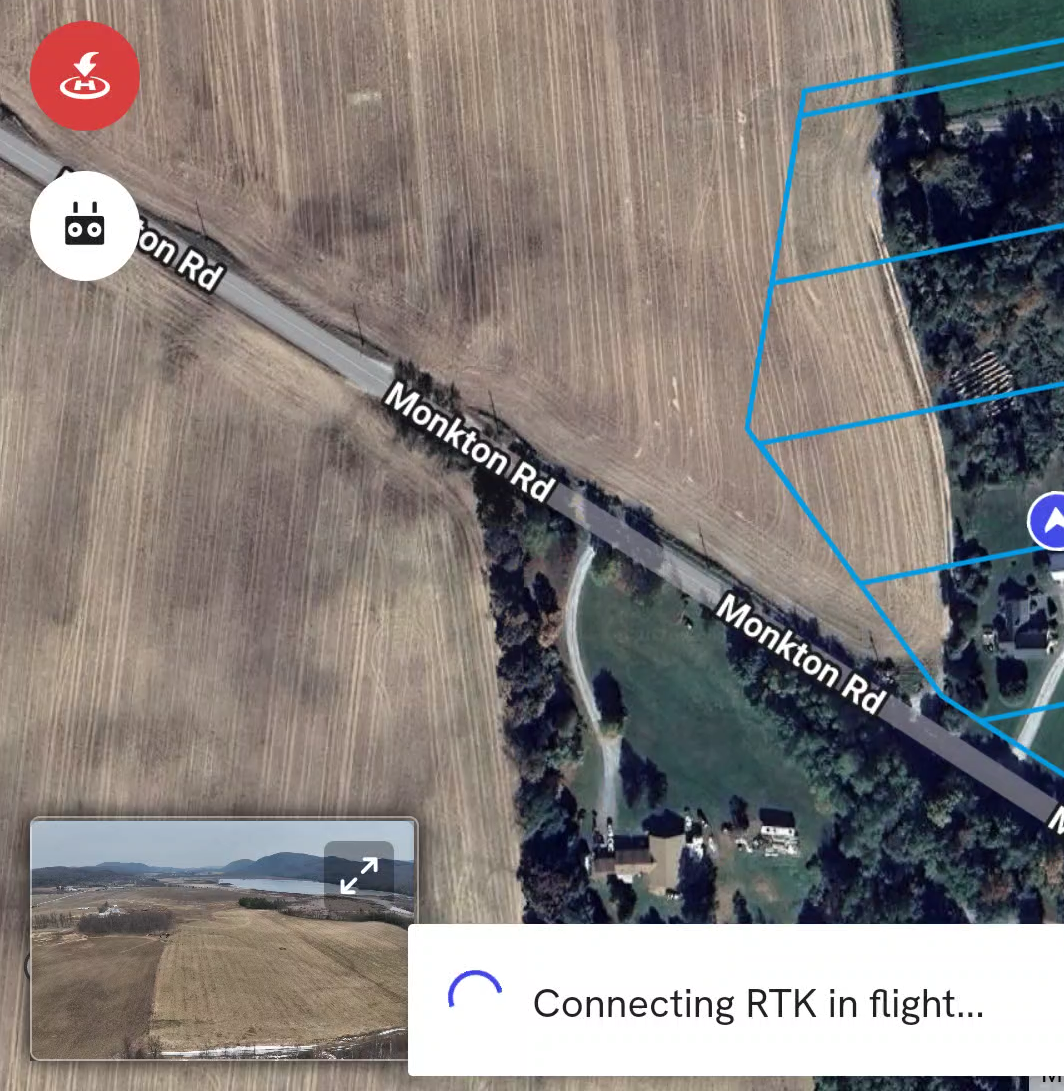
NAD83 (2011) is now supported, and the in-flight connection behavior is more predictable. Teams connect, fly, and don't have to think about whether the project datum aligns with the RTK source.
2,000 acres. One flight plan.
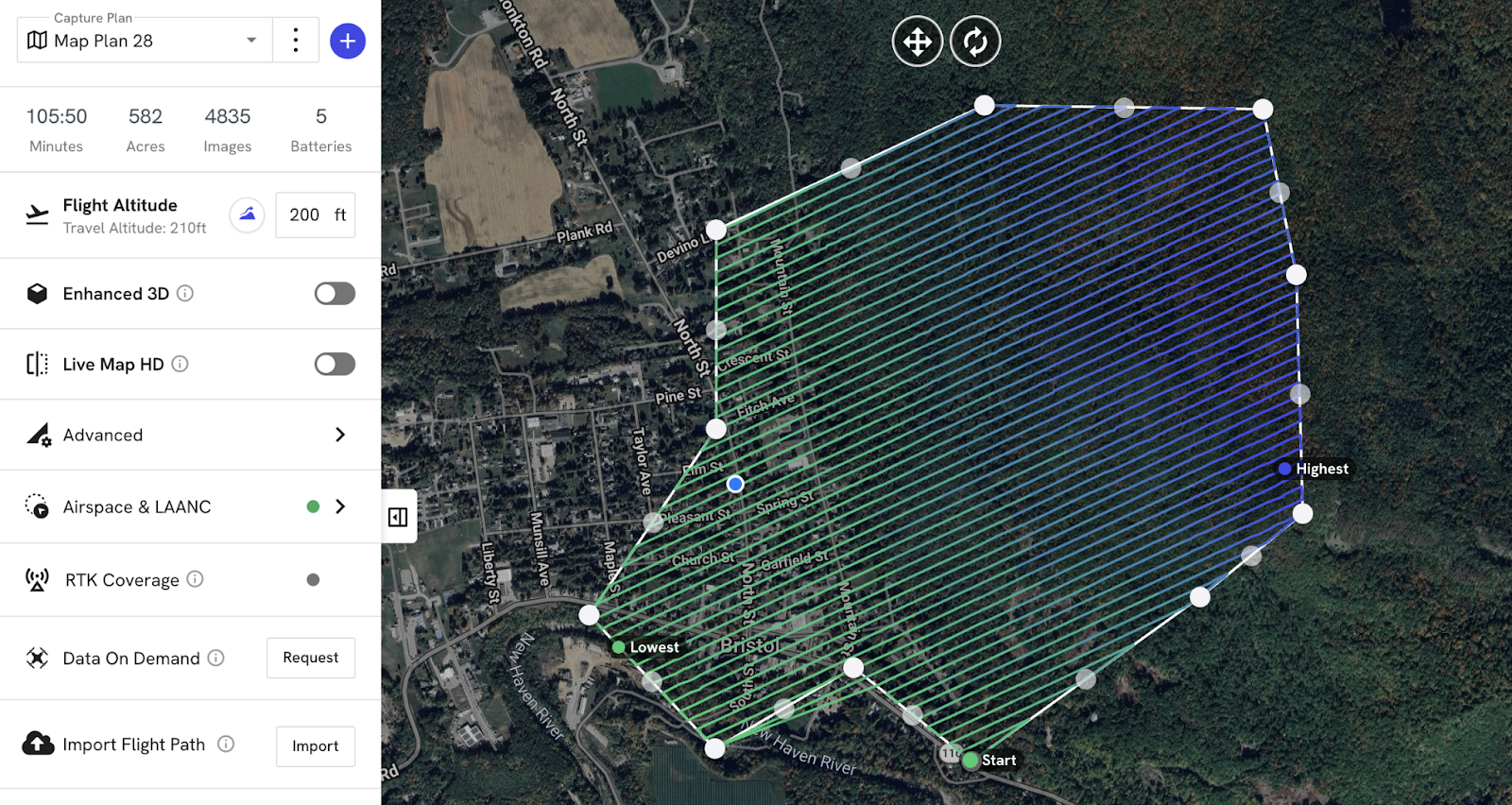
The Terrain Awareness acreage cap was a consistent frustration for teams on large sites. The 200-acre limit forced teams to subdivide megaprojects into many individual flight plans. That meant more planning time and more room for error. That cap is now 2,000 acres. One plan, one flight, one project.
.png)
FAQ


Ready to learn more?
Contact sales to see how DroneDeploy can give your teams the power to document and analyze your sites from the air and ground – all in one AI-powered platform.