January 2026 Product Release
.svg)
Quick Summary
Across your projects, speed and accuracy are non-negotiable. That’s why our latest feature release focuses on tightening the gap between capture and confidence, so your teams can document faster, troubleshoot less, and stay aligned from day one.
- GCP Tagging Improvements - Makes tagging GCPs simpler with clear labeling and guidance
- Google Maps Imagery in Mapbox - Plan flights safer and more accurately using up-to-date base map imagery with Google Maps tiles
- Improved Grid View Zoom - Keep site context when zooming-in to see the new Grid View cards for improved usability
- Ground Mobile Upload Management UX Upgrade - Improved user experience featuring a visual progress bar, upload success notifications, media renaming, and status notifications
- BIM Multi-Model Management- We now support multiple BIM models per project, eliminating workarounds and file juggling. Organize by phase, area, or discipline, and easily choose, preview, and set a single trusted source-of-truth model.
For a list of all features launched as part of the January release, check out the release notes.
DroneDeploy Aerial
More efficient GCP tagging
New tagging improvements make it easier to skip or convert GCPs to checkpoints, with clearer labeling and better UX. It’s a small fix with big upside, removing friction in one of the most critical steps for accuracy validation.
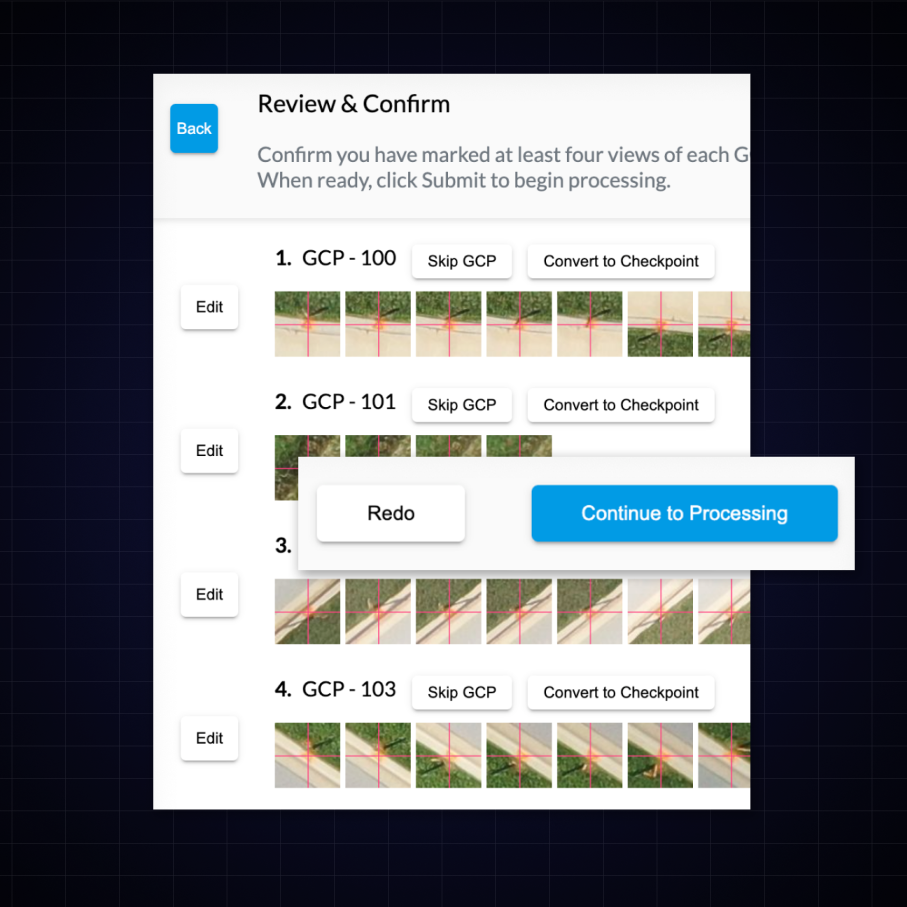
Feature Benefits:
- More efficient GCP tagging.
Better flight planning with Google Maps
Plan flights more accurately and safely with up-to-date base map imagery using Google Maps tiles.
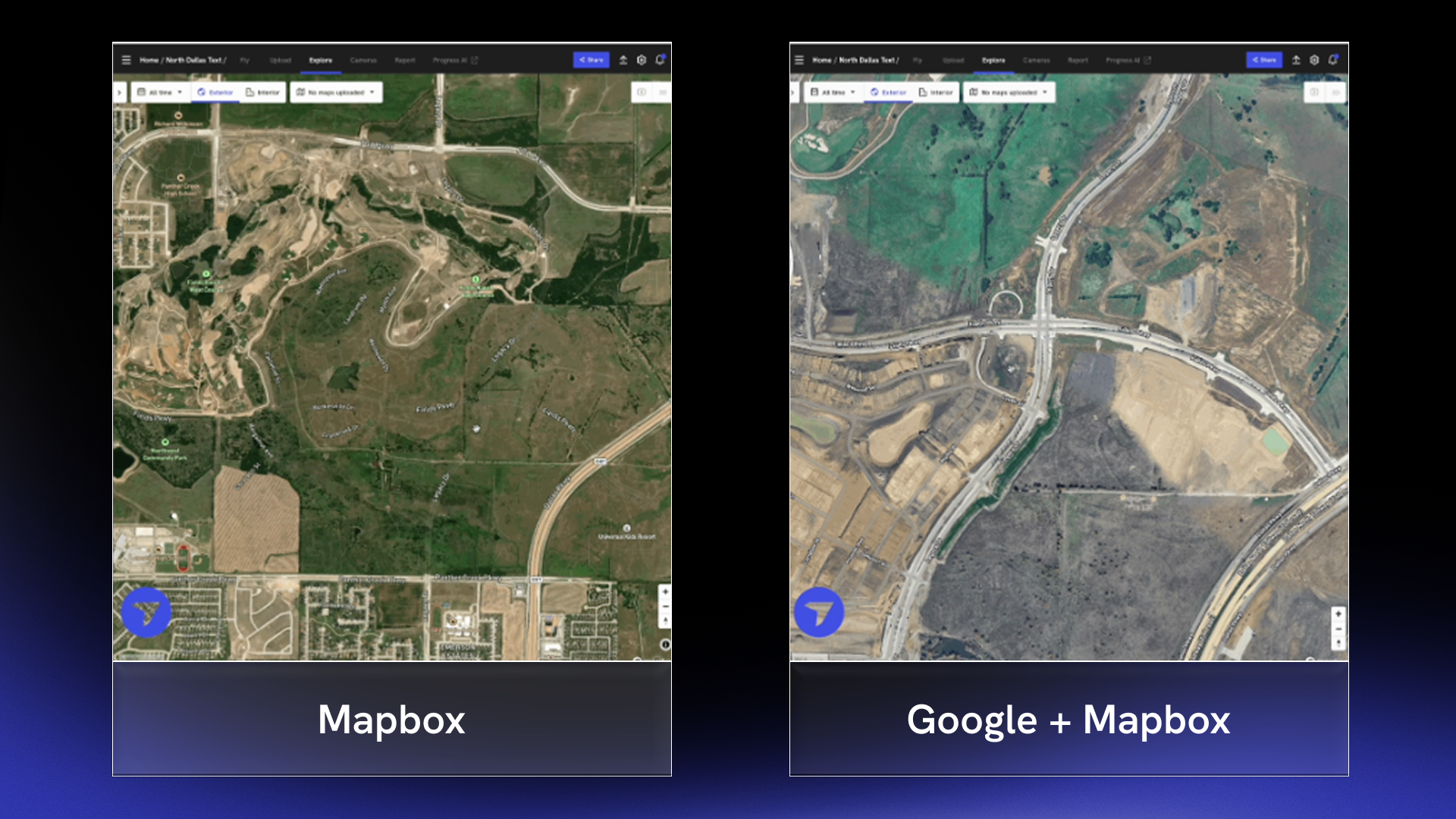
Feature Benefits
- Higher quality, more current Google maps imagery on the explore page and dock flight page
- See better satellite imagery of your site prior to creating a DroneDeploy map
DroneDeploy Aerial Pro
Feature Benefits
- Know instantly if an alignment error occurs to prevent errors and discrepancies downstream
Improved grid view zoom
Zoom controls for cut/fill maps just got smarter. Cards now stay legible no matter the zoom level so you don’t have to choose between site context and readability.
Feature Benefits
- Cut/fill cards/arrows show or hide based on pixel spacing, and supported grid spacing is expanded up to ~100m/350ft for improved usability.
DroneDeploy Ground
Ground mobile upload management upgrade
The new Upload Management screen gives field teams a transparent and reliable way to confirm every capture is safely in DroneDeploy, eliminating “did it actually upload?” confusion, speeding troubleshooting, and ensuring field time is converted to value as quickly as possible.
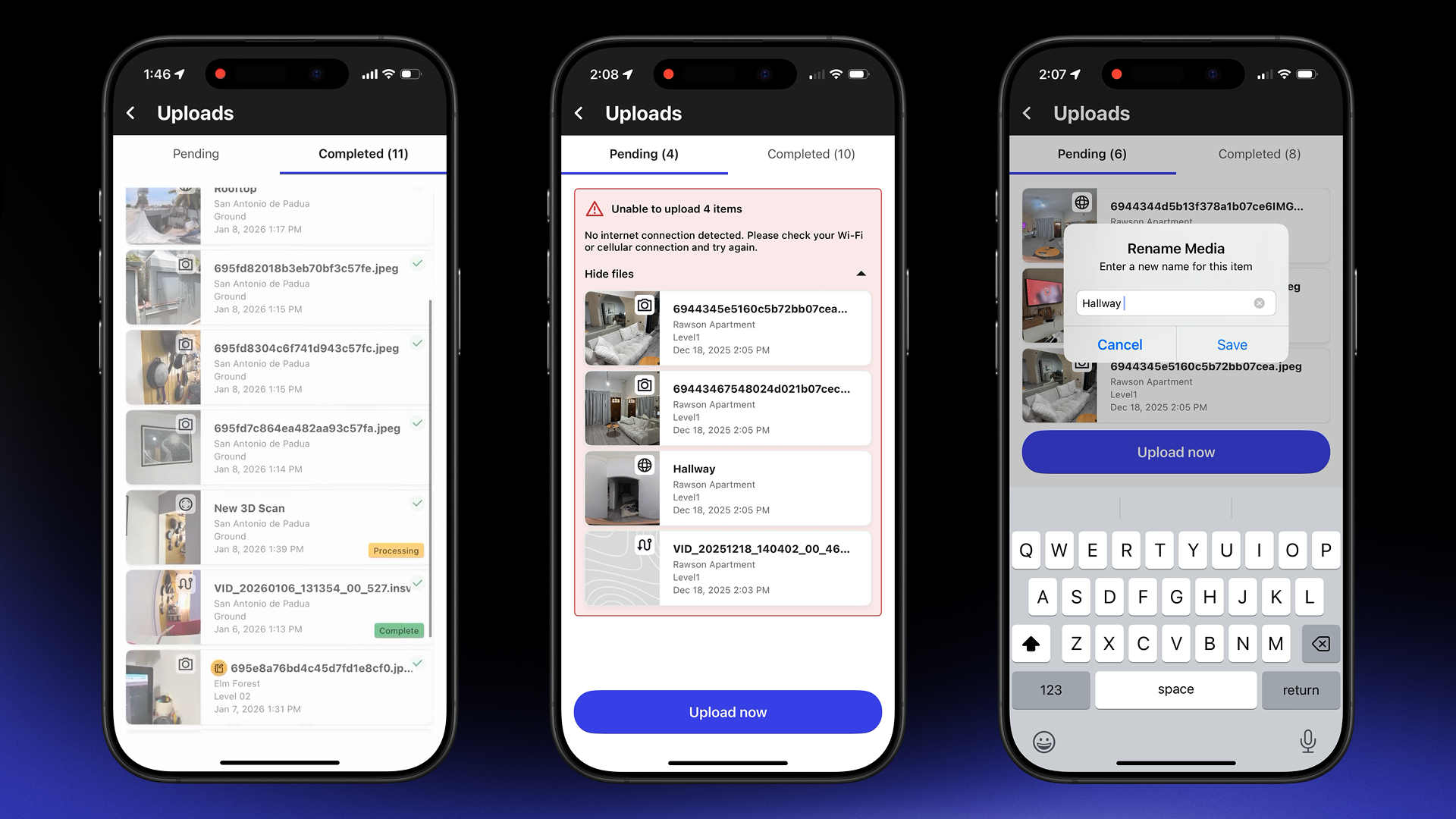
Feature Benefits
- Media thumbnails, type icons, and tap-to-verify Pin Details make it easy to confirm capture quality before you move on
- Swipe right-to-left to quickly rename scans, walks, or panos so everything is organized right from the start
- A new Completed tab shows everything uploaded in the last 7 days, along with real-time processing states for Walks and 3D Scans
BIM - Multi model management
Now you are no longer bound to a single model within your DroneDeploy project. Sync or upload separate discipline models and then easily compare progress while also setting the default model for your project.
Feature Benefits
- Projects leveraging BIM will now be able to select the model that they would like to use based on trade or workflow
- VDC teams can now seamlessly move from one reference model to another using a simple dropdown saving time and improving efficiency
.png)
FAQ
Related articles


Ready to learn more?
Contact sales to see how DroneDeploy can give your teams the power to document and analyze your sites from the air and ground – all in one AI-powered platform.