How 360 site capture keeps your construction documentation organized and accessible
.svg)
.png)
Quick Summary
360 photo documentation captures spherical images of jobsite conditions, creating a visual record teams reference remotely throughout the project lifecycle. DroneDeploy Ground organizes captures by location and date, mapping them directly to floor plans so you can click any spot on a drawing and see exactly what was there. This approach keeps documentation organized and accessible from project start through closeout.
Construction sites change daily, and the photos meant to document that progress often end up scattered across phones, folders and email threads.
By the time someone needs to verify what was installed before drywall closed, the images are either missing or impossible to find. This documentation gap creates real problems when disputes arise or pay apps require proof of completed work. Documentation gap creates real problems when disputes arise or pay apps require proof of completed work.
360 photo documentation solves this by capturing full spherical images at consistent locations, creating a visual record that stays organized and accessible throughout the project. This guide covers how 360 construction cameras work, what to look for when selecting equipment and how to implement capture workflows that teams actually use.
What is 360 photo documentation in construction
A 360 camera uses dual fisheye lenses to capture every angle from a single vantage point, then stitches the images into one spherical file. Unlike standard photos that show a fixed frame, 360 images let you pan in any direction to see the full surroundings. Construction teams capture at regular intervals or before key milestones to document what exists at that moment.
The primary use cases center on recording conditions before they become inaccessible: existing conditions before demolition or new work begins, rough-in work like electrical conduit and plumbing lines before drywall closes, and progress milestones with final state documentation for closeout and handover.
How 360 construction cameras capture site conditions
Most 360 cameras for construction position dual fisheye lenses back-to-back. Each lens captures a wide field of view, and the camera stitches overlapping images into a single equirectangular file automatically. The result is a spherical image you navigate by clicking and dragging, similar to Google Street View.
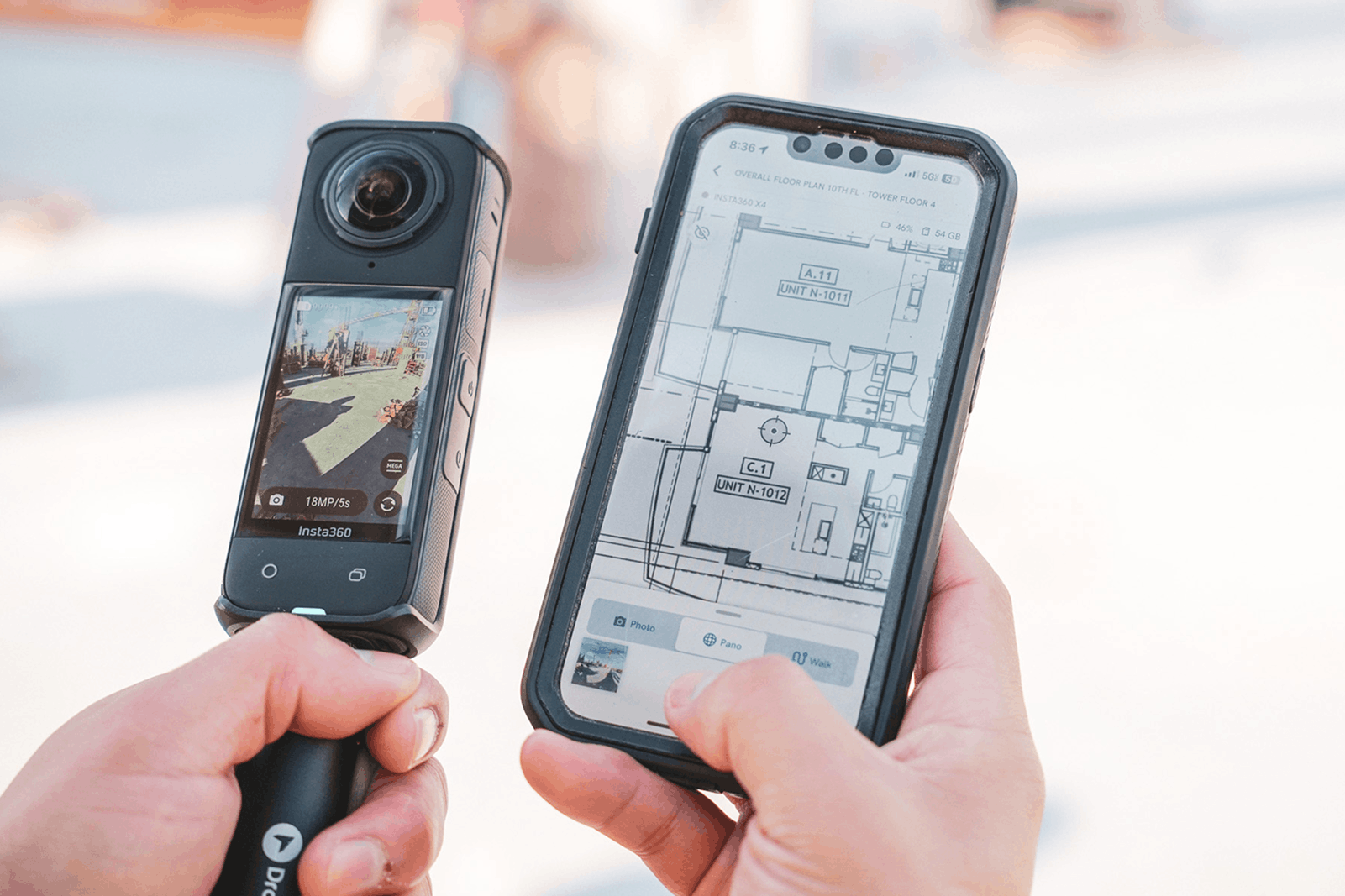
Walking the site with handheld 360 capture
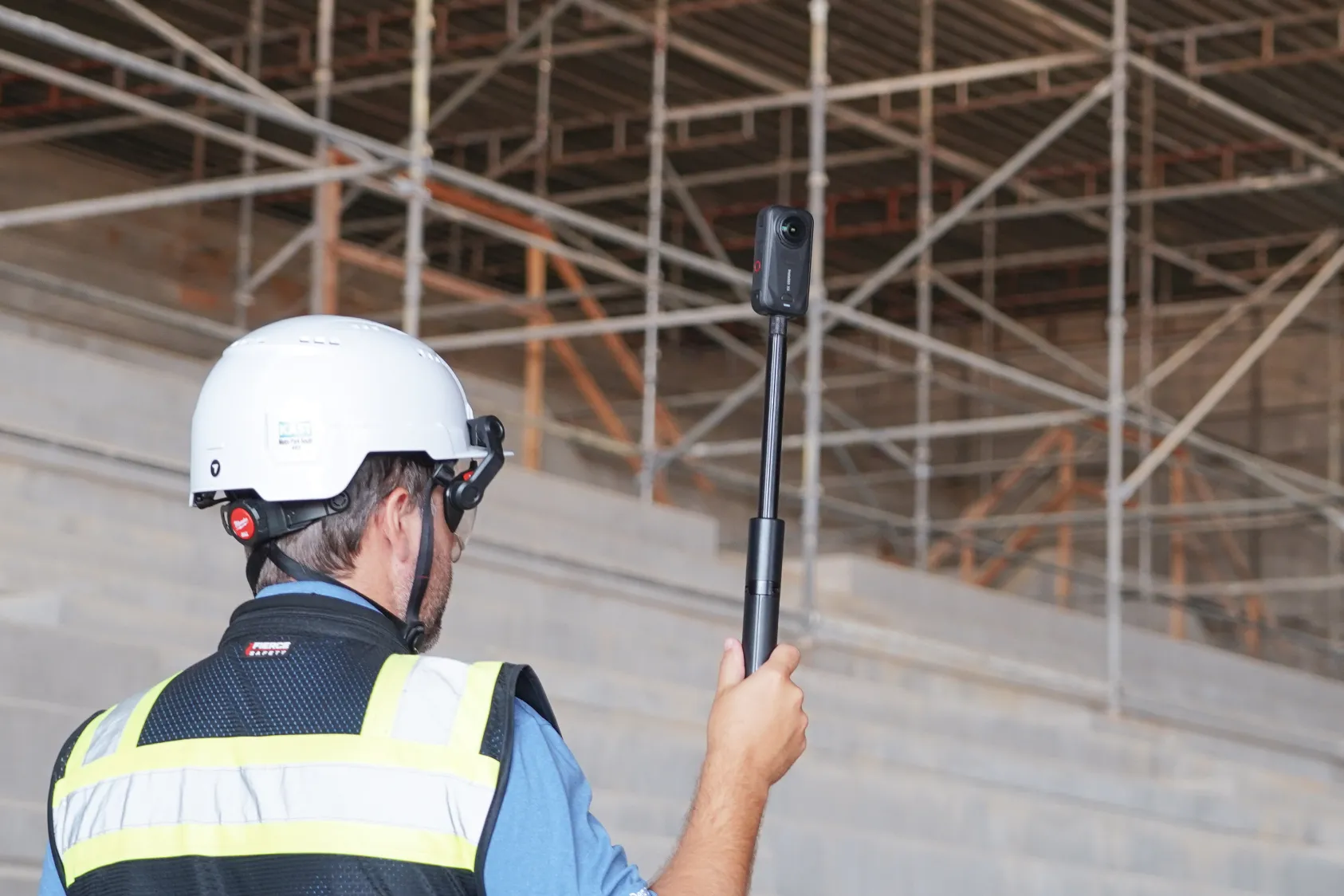
The most common capture method involves walking a predetermined route with a handheld 360 camera. Many teams mount the camera on a monopod to keep the operator out of frame and maintain consistent height. Images are captured at set intervals, often every 10-15 feet, or manually triggered at specific locations like room corners and intersections.
Autonomous capture with ground robots
For sites requiring frequent, repeatable documentation, ground robots execute the same capture route consistently. A robot like Boston Dynamics Spot or Unitree Go2 follows a programmed path and captures 360 images at predetermined points, creating consistent records over time without manual effort. This approach works well for large facilities or areas with restricted access.
Benefits of using 360-degree cameras in construction
Visual record of existing conditions
Before demolition or renovation begins, 360 captures create a baseline reference showing exactly what was there. Teams revisit images months later without returning to site, which proves useful when planning new work or verifying scope assumptions. This baseline documentation becomes especially valuable during change order discussions or when coordinating with trades who need to understand existing conditions.
Progress verification without repeated site walks
Project managers and VDC coordinators reference 360 captures remotely to check work statusProject managers and VDC coordinators reference 360 captures remotely to check work status. Rather than driving to site to verify framing completion or MEP rough-in, they pull up the latest capture and pan through the space. Travel time drops while oversight stays consistent across multiple projects.
Remote access for owners and stakeholders
360 images can be shared via links or exported to project management platforms like Autodesk Forma (previously known as Autodesk Construction Cloud) or Procore. Owners, architects and consultants get a virtual walkthrough from anywhere, reducing the coordination required for site visits. Weekly 360 walks give stakeholders visibility into progress without disrupting field operations.
Dispute resolution with timestamped documentation
Photo documentation can serve as evidence of conditions at specific points in time. When questions arise about when work was completed or what was installed before a change order, the timestamped visual record provides objective documentation for claims, RFI support and closeout verification. Having this documentation readily available can resolve disputes quickly and reduce the time spent on back-and-forth discussions.
Safety observation and compliance records
360 captures can also document safety conditions like guardrails, housekeeping and PPE usage. AI analysis can review images and flag observations across multiple captures automatically, identifying patterns that might otherwise go unnoticed during in-person walks. This passive documentation creates a safety record without requiring dedicated safety-specific capture sessions.
See how others in the industry are making the most out of 360 photos
How to choose the best 360 camera for construction sites
Selecting the right 360 camera depends on jobsite conditions, documentation requirements, and the type of camera you plan to use, whether that’s an Insta360 or a Ricoh 360 camera. Each factor directly impacts how useful your captures will be for construction documentation.
Image resolution and quality
Higher resolution allows zooming into details like labels, fasteners and finishes, even in low light conditions. Construction documentation often requires legible text on equipment tags or readable markings on conduit, so 5.7K resolution is typically the minimum threshold for useful captures. Lower resolution images may look acceptable at first glance but fall short when you need to verify specific installation details.
Durability for jobsite conditions
Active construction sites involve dust, moisture and occasional drops. Some cameras can lack the weather-sealed housing and drop resistance that daily field work demands. Look for cameras rated for outdoor use with reinforced housings that can handle the realities of construction environments.
Battery life and capture speed
Large sites require extended capture sessions, sometimes lasting several hours. Fast image processing between shots keeps walks efficient, while adequate battery life ensures the full route gets documented without interruption.
Software compatibility
The camera itself matters less than how images get organized and accessed. Direct upload to construction photo management softwareThe camera itself matters less than how images get organized and accessed. Direct upload to construction photo management software eliminates manual file transfers, and automatic organization by location and date makes captures findable when you actually need them. Verify that your chosen camera integrates with your existing project management tools before purchasing.
Mapping 360 photos to floor plans and drawings
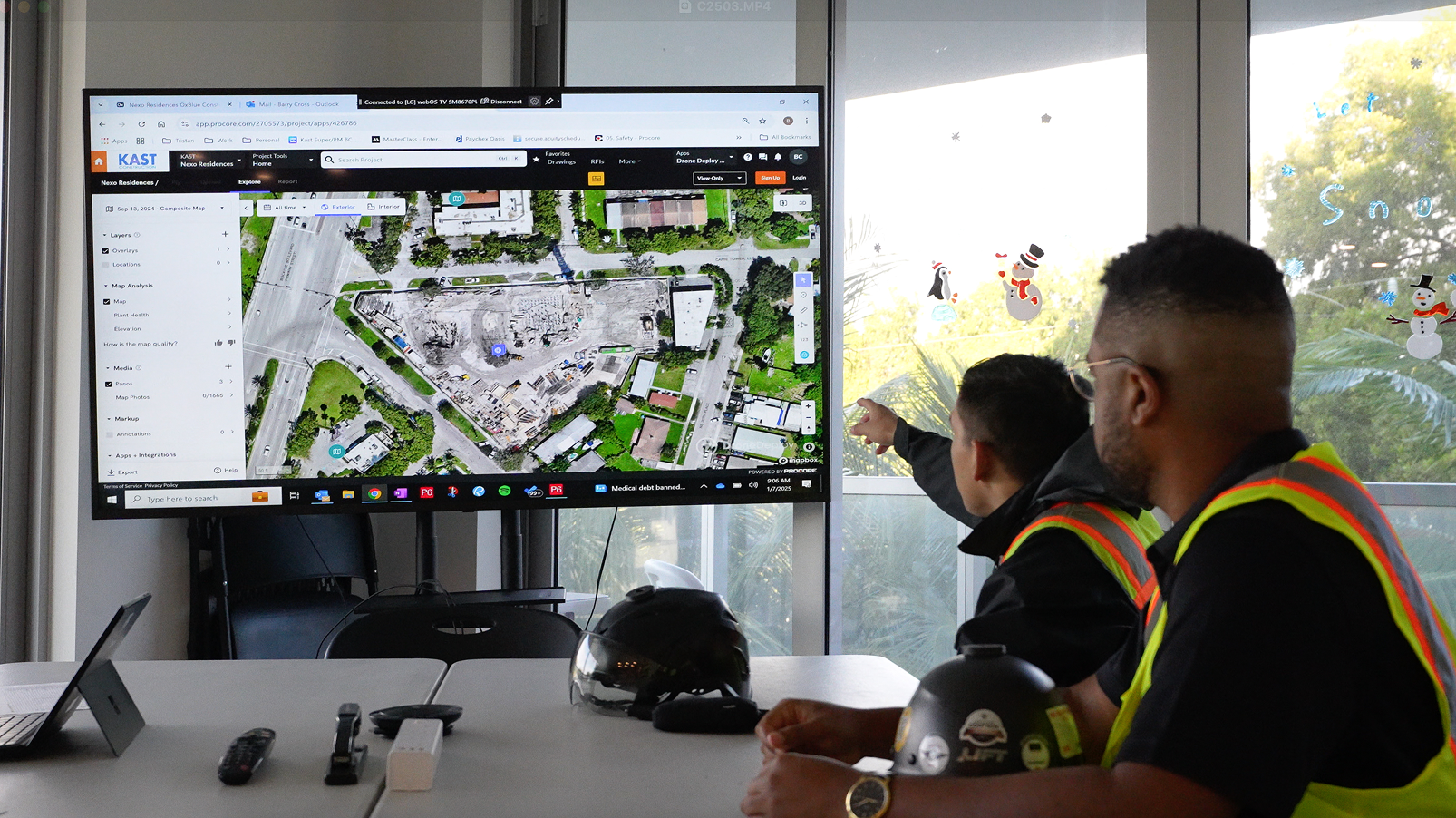
360 images become significantly more useful when pinned to their location on a floor plan or site drawing. Platforms automatically map captures to your map or allow manual placement on uploaded drawings. You click a location on the plan and see the corresponding 360 view from that spot.
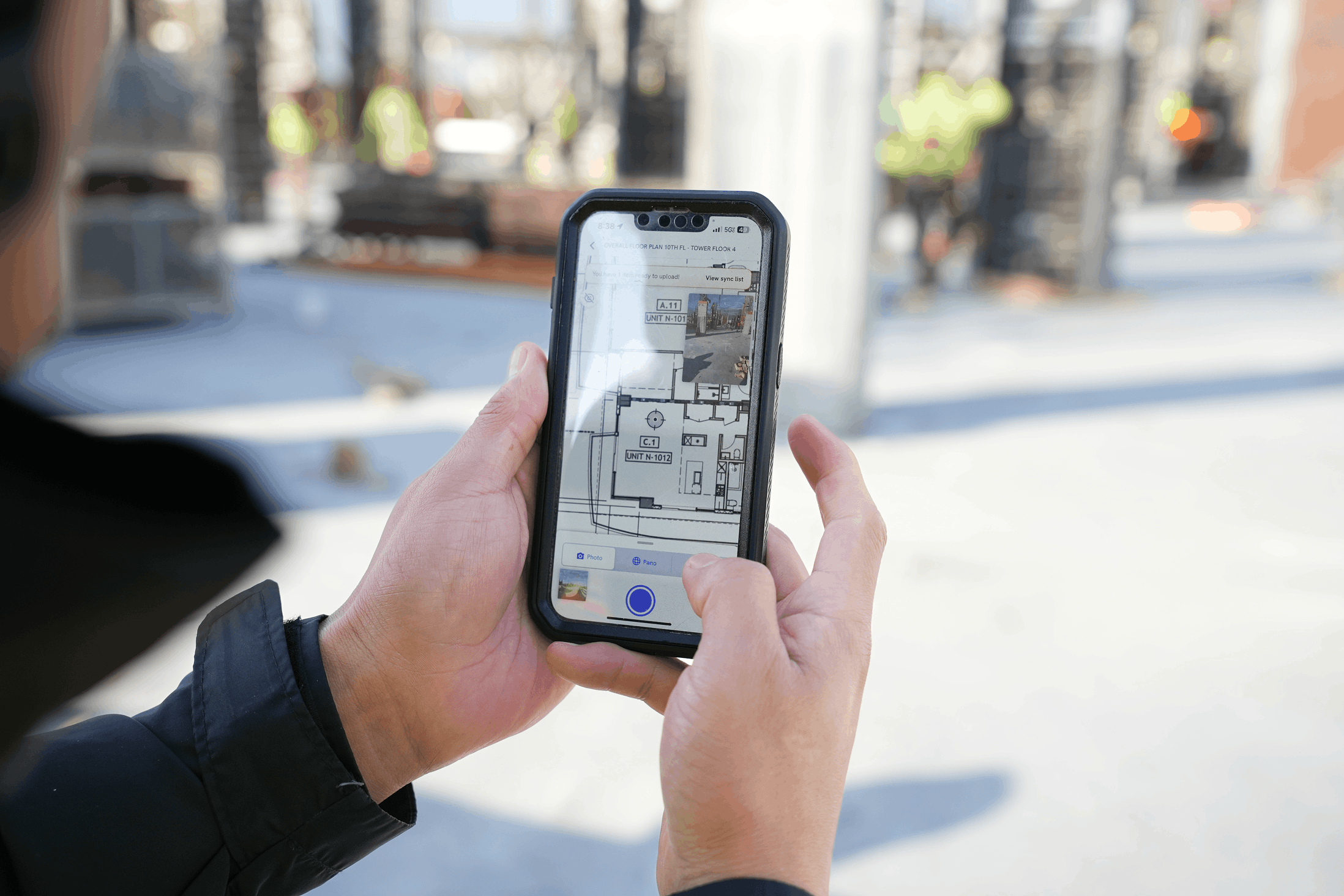
The typical workflow follows this sequence:
1. Walk the site with a 360 cameraWalk the site with a 360 camera following a consistent route
2. Images transfer and pin to floor plans automatically by location
3. Click any point on the drawing to view that location at any point in time
Location-based organization turns scattered photos into a navigable visual record. Rather than scrolling through folders of images, teams click directly on the area they want to see. This approach saves time and ensures the right image is always accessible when questions arise.
How different teams use 360 site documentation
Superintendents and field teams
Field teams capture conditions before concrete pours, document MEP rough-ins and record daily progress. The 360 record backs up field notes and provides visual evidence when questions arise about sequencing or installation details. This documentation becomes part of the project record that superintendents reference throughout construction.
Safety managers
Safety walks can be captured and reviewed for hazards. AI analysis flags observations like missing guardrails, exposed edges or housekeeping issues across multiple captures, helping identify patterns across the project. Safety managers use these records to track conditions over time and document compliance efforts.
Owners and project executives
Remote review of site conditions reduces travel requirements. Weekly 360 walks give visibility into progress across multiple projects from a single dashboard, making it practical to stay informed without constant site visits. Owners and executives can review conditions on their schedule rather than coordinating site access.
Trade partners and subcontractors
Subs reference 360 captures to see site conditions before mobilizing. Shared access reduces coordination calls and site visits, since trades can verify that preceding work is complete before scheduling crews. This visibility helps trades plan their work more effectively and reduces wasted trips to site.
Integrating 360 photos with construction project management tools
360 documentation has more value when connected to existing workflows. Integrations with platforms like Procore, Autodesk and cloud storage mean 360 captures flow into existing project records without manual file management. These connections ensure documentation stays organized within the systems teams already use daily.
→ Procore: Link 360 captures to daily logs and observations
→ Autodesk Forma: Compare 360 photos against design models
→ Cloud storage: Automatic backup to Google Drive, Dropbox or Egnyte
Learn how to connect your DroneDeploy project to Procore
How to start documenting conditions with 360 site capture
1. Define capture locations and frequency
Identify which areas need documentation and how often. High-activity zones may warrant daily captures, while other areas might only need weekly documentation. Map out your capture locations before the first walk to establish a consistent routine.
2. Select 360 camera and platform
Choose a 360 camera for construction that meets resolution and durability requirements. Pair it with construction photo management software that organizes and maps captures automatically. Test the camera and software together before deploying to ensure the workflow meets your project needs.
3. Establish capture workflows
Create standard routes and capture points. Consistent vantage points make comparisons over time meaningful, since you can see the same location at different dates. Document your routes so any team member can execute the same capture sequence.
4. Train field teams on consistent capture
Brief field staff on capture procedures. Consistency matters more than perfection, so focus on repeatable routes and regular intervals rather than elaborate protocols. A quick training session ensures everyone captures images the same way.
5. Integrate with existing project tools
Connect your reality capture platform to project management systems so documentation flows into daily workflows. Set up automatic syncing so captures appear in your project records without manual uploads. Test the integration to confirm images appear where your team expects to find them.
Book a demo to see how DroneDeploy organizes 360 construction photos alongside aerial captures in one platform. Our team can walk you through the workflow and show you how captures map to floor plans. See for yourself how teams use 360 documentation to keep projects on track.
.png)
FAQ
A 360-degree photo is also called a spherical image, panoramic photo or equirectangular image. In construction contexts, teams often refer to them as 360 captures or 360 walkthroughs. The terminology varies by region and company, but all refer to the same type of immersive imagery.
360 photos complement rather than replace standard photography. Detail shots, close-ups of defects and specific documentation still benefit from traditional cameras. Most teams use both capture methods depending on what they need to document.
Most teams capture weekly during active phases and before major milestones like drywall. High-activity areas or fast-track projects may warrant daily captures. The right frequency depends on how quickly conditions change and how often teams need to reference the documentation.
360 cameras have limited optical zoom, so fine details may require higher resolution models or supplemental close-up photos. File sizes are larger than standard photos, requiring adequate storage and upload bandwidth. Some teams find that 360 captures work best when paired with traditional detail photography for specific documentation needs.
A minimum of 5.7K resolution allows readable text on labels and sufficient detail for most construction documentation. Higher resolutions provide more flexibility when zooming into specific areas. Consider your typical documentation needs when selecting a camera resolution.
Related articles
Ready to learn more?
Contact sales to see how DroneDeploy can give your teams the power to document and analyze your sites from the air and ground – all in one AI-powered platform.